
▼ In This Article
What Is Church Facility Management Software?
If your church calendar lives across three inboxes, a shared spreadsheet, and a stack of sticky notes on the office bulletin board, you already know the problem this article is about. Someone books the fellowship hall for a baby shower, forgets to check the youth group’s Wednesday rehearsal, and now two groups are setting up tables in the same room at the same time. It’s not anyone’s fault — it’s just what happens when a growing church tries to coordinate rooms, resources, volunteers, and maintenance without a system built for it.
Church facility management software is the category of tools built to solve exactly this. In this guide, we’ll define what it actually is, break down the features that matter most, show how it’s different from the church management software you may already use, and give you a simple checklist for evaluating your options — whether you’re just starting to look or narrowing down a shortlist.
Core Definition and Scope
Church facility management software is a digital system that helps churches coordinate how their buildings, rooms, resources, staff, and volunteers are scheduled and managed. At its core, it typically covers room and resource booking, event scheduling, approval workflows, conflict detection, maintenance work orders, asset tracking, and reporting — all in one centralized platform, rather than scattered across calendars, email threads, and paper forms.
It’s worth noting upfront that this term gets used a little differently across the web. Some vendors treat it as primarily a scheduling and room-booking tool. Others treat it as a maintenance and work-order system for facilities staff. The truth is that both are part of the same broader category — and the right software for your church may lean more toward one side or the other depending on your size and needs. We’ll break down that distinction below.
Why It Matters: The Problems It’s Actually Solving
Most churches don’t go looking for “facility management software” out of curiosity — they go looking because something broke down. A few common triggers:
- Double bookings. Two ministries reserve the same room, or the same AV equipment, because there’s no single source of truth.
- Spreadsheet and email overload. Requests come in through texts, emails, hallway conversations, and sticky notes, and nothing is tracked in one place.
- Recurring rhythms that don’t fit a simple calendar. Sunday services, midweek Bible studies, choir rehearsals, youth events, weddings, and funerals all need different recurrence rules and exceptions.
- Multi-use spaces. The same fellowship hall might host a wedding reception on Saturday and a youth lock-in on Sunday — and each one needs different setup, resources, and staffing.
- Maintenance that falls through the cracks. Without a system, work requests (a broken HVAC unit, a leaking roof) get reported informally and forgotten.
- Multi-site complexity. Churches with more than one campus often end up with inconsistent booking methods, no real-time visibility across locations, and confusion over shared resources.
The underlying goal across all of these is the same: prevent conflicts before they happen, reduce back-and-forth administrative work, and give leadership visibility into how the building is actually being used.
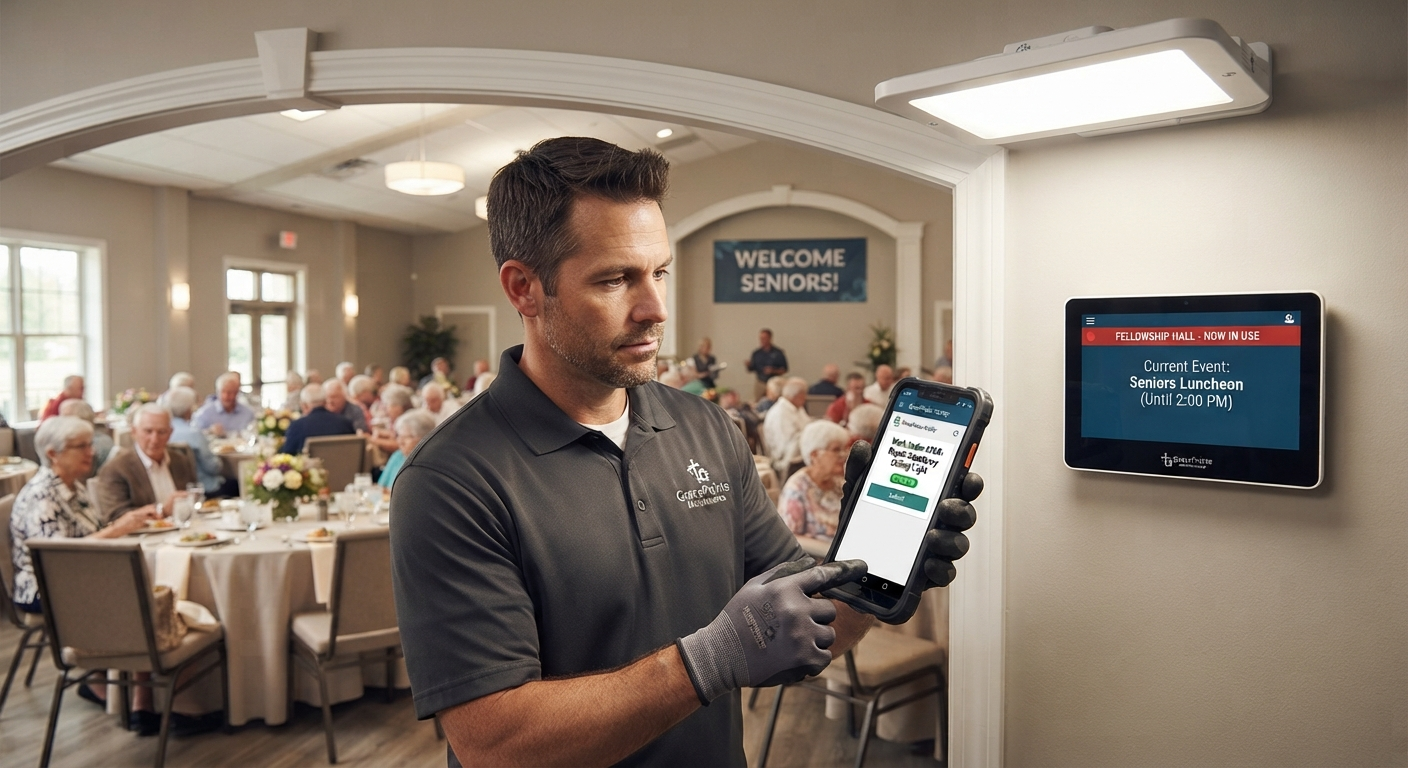
Church Facility Management vs. Church Management Software
This is one of the most common points of confusion, so it’s worth addressing directly.
Church management software is generally built around people and ministry administration — member records, giving, attendance, check-in, communication, and small groups. Some church management software platforms include basic event or facility tools, but that’s not their center of gravity.
Church facility management software is built around the physical operation of your space — rooms, resources, bookings, approvals, maintenance, and reporting.
If your church already uses church management software and it’s handling your scheduling needs well, you may not need a separate tool. But if double-bookings, maintenance requests, and resource conflicts are a recurring headache, that’s usually a sign you need something purpose-built for facility operations — not just a module bolted onto a people-management system.
Key Features to Look For
Not every church needs every feature below — a small single-site congregation has different needs than a multi-campus church with a full-time facilities team. But here’s what the category typically covers:
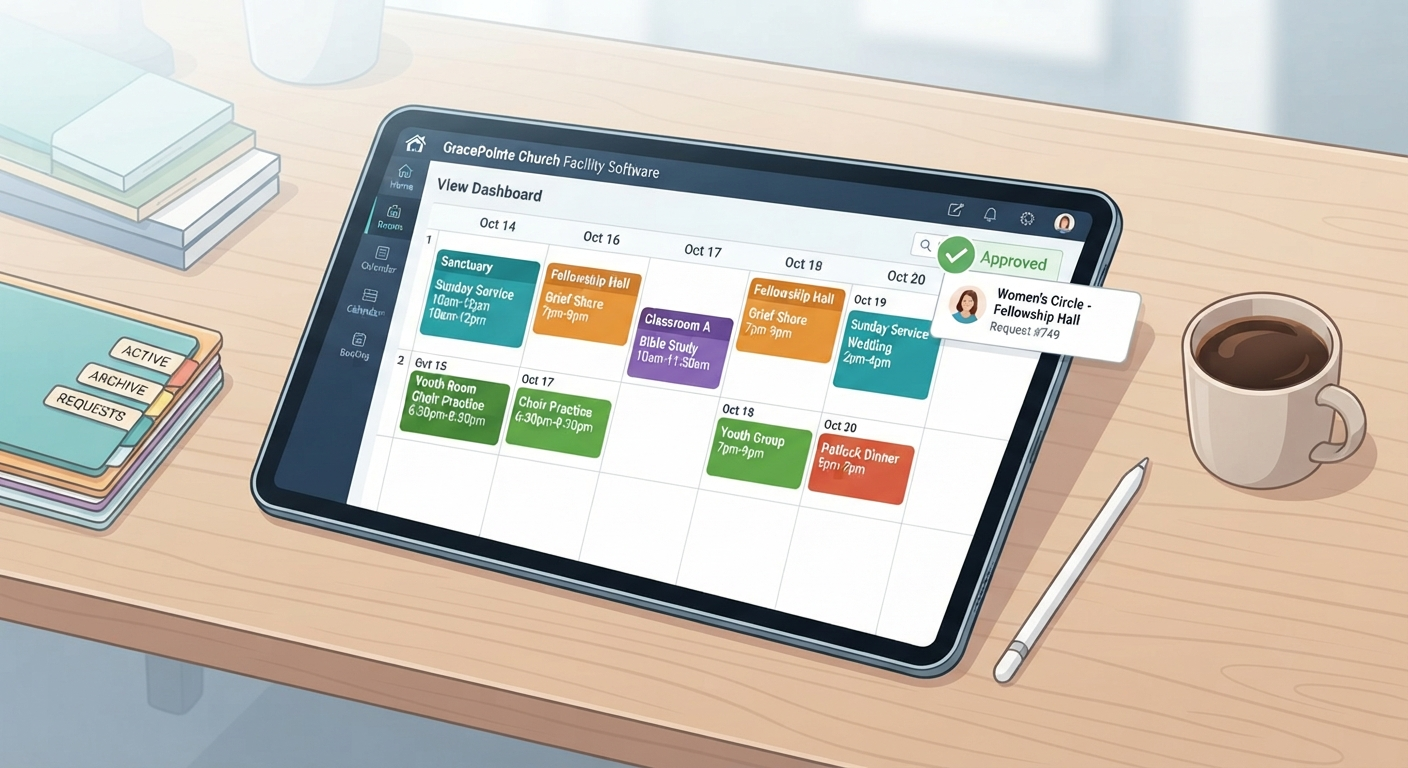
- Centralized calendar and room booking — one shared view of every space (sanctuary, classrooms, fellowship hall, kitchen, parking) and what’s already booked.
- Conflict detection and approval workflows — automatic flags for overlapping rooms, people, or equipment, with approval routing for higher-stakes requests.
- Recurring schedules with exceptions — set up a weekly Bible study once, and handle the occasional canceled or rescheduled week without re-entering everything.
- Resource scheduling beyond the room — AV equipment, tables, chairs, vehicles, and setup/teardown time.
- Event lifecycle coordination — the difference between reserving a room and actually planning an event: staffing, vendors, run-of-show, and post-event notes.
- Maintenance and work orders — a place for staff or volunteers to submit a facility issue, track its status, and keep a maintenance history for your board or governing body.
- Reporting and utilization data — insight into which rooms are overbooked, which are underused, and how that should inform renovations, staffing, or rental pricing.
- Multi-site support — centralized visibility and consistent scheduling rules across campuses, if applicable.
- External rental management — intake forms, agreements, and insurance tracking for community groups or private events that rent your space.
A Quick Checklist for Evaluating Software
Before you start comparing specific vendors, it helps to get clear on what your church actually needs. Ask:
- Do we mainly need room/resource scheduling, maintenance tracking, or both?
- How many locations or campuses do we need to coordinate?
- Do volunteers or ministry leaders need to submit their own booking requests, or should that go through staff only?
- Do we regularly rent space to outside groups, and do we need contracts or insurance tracking?
- Do we need reporting for a board, elder team, or diocese?
- Will this tool actually get used and kept up to date by the people managing it day to day?
That last question matters more than it might seem. The most feature-rich software in the world doesn’t help if it’s too complicated for a part-time office administrator or volunteer coordinator to keep current. The best-fit tool is the one your team will actually use.
A Few Common Mistakes to Avoid
- Assuming your church management software already covers this. As noted above, most church management software platforms are built around people, not spaces — check carefully before assuming your existing tool has real scheduling and conflict-prevention capability.
- Thinking a shared calendar is “good enough.” A calendar shows what’s booked; it doesn’t handle approvals, resource conflicts, recurrence rules, or maintenance requests.
- Treating maintenance and scheduling as unrelated problems. They’re often part of the same operational picture — a room that’s double-booked and a room that’s out of service for repairs both affect what your team can plan.
- Buying software without a rollout plan. The churches that get the most value typically start by mapping their spaces, setting clear scheduling rules, and gradually opening up request access — not just turning a new system loose on day one.
The Bigger Picture
It’s also worth zooming out. Church attendance and volunteer patterns have shifted in recent years — average volunteer hours in the U.S. dropped from 96.5 hours in 2017 to 70 hours in 2023, even as the overall number of volunteers stayed strong (source: U.S. Census Bureau/AmeriCorps). At the same time, small-group participation among worship attendees declined from 50% in 2008 to 44% in 2022 (source: Lifeway Research). Fewer hours per volunteer and shifting group patterns both mean churches need scheduling systems that reduce admin burden rather than add to it — clarity and simplicity matter more than ever for the people keeping your facility running.
Ready to Map Out Your Church’s Scheduling Needs?
If you’re still in the early stages of figuring out whether your church needs dedicated facility management software — or which features actually matter for your situation — a good next step is working through a simple readiness checklist before you start comparing vendors.
See how churches use church room booking software to centralize scheduling and prevent conflicts. If you manage more than one campus, take a look at multi-site church scheduling software. Explore how booking management and event management work together to take you from a simple room reservation to a fully coordinated event. Understanding what this category covers — and what your church specifically needs — is the first step toward a facility schedule that runs itself, instead of one that runs your office into the ground.
Frequently asked questions
- What is church facility management software?
Church facility management software is a digital system that coordinates how your buildings, rooms, resources, staff, and volunteers are scheduled and managed. It typically covers room and resource booking, event scheduling, approval workflows, conflict detection, maintenance work orders, asset tracking, and reporting in one centralized platform.
The defining characteristic is that all of those functions share the same underlying record. When a room is booked, the resources attached to it, the setup required, the approvals it needs, and any maintenance affecting it are all connected — rather than living in a calendar, a spreadsheet, an email thread, and a maintenance log that none of the others can see.
That connection is what actually prevents conflicts. Most double-bookings are not calendar errors; they happen because two people were looking at two different sources of truth.
- What is the difference between church facility management software and church management software?
Church management software is built around people and ministry administration — member records, giving, attendance, and communication. Church facility management software is built around the physical operation of your space — rooms, resources, bookings, approvals, and maintenance.
Some church management platforms include basic scheduling tools, which is where the confusion usually starts. A calendar module is genuinely useful for publishing what is happening; it is a different thing from a system that checks resource-level conflicts, routes approvals to the right person, and tracks setup requirements per space.
The practical test is what happens when two ministries request the same room. If the answer is “whoever notices first tells the other,” you have a calendar rather than a facility system — and most churches only discover the distinction after a wedding and a youth event collide.
- What features should church facility management software include?
The core capabilities most churches need are:
- Centralized calendar and room booking across every space
- Conflict detection and approval workflows that run before confirmation
- Recurring schedules with exceptions for holidays and observances
- Resource scheduling for equipment, AV, and supplies
- Event lifecycle coordination from request through setup and teardown
- Maintenance and work order tracking
- Reporting and utilization data
- Multi-site support and external rental management
Exception handling deserves particular attention, because it is where most systems quietly fail. Creating a weekly event is easy anywhere; handling the Christmas week that moves, the holiday that cancels one session, and the Sunday that needs a different room is what determines whether the calendar stays accurate a year later.
- Does my church need facility management software if we already use church management software?
It depends on whether your church management software already handles scheduling well. If double-bookings, maintenance requests, and resource conflicts are a recurring problem, that is usually a sign you need a tool purpose-built for facility operations rather than a scheduling module bolted onto a people-management system.
A useful diagnostic is where the workarounds live. If staff maintain a separate spreadsheet for rentals, a paper list for setup requirements, or an email folder for maintenance requests, those workarounds exist because the current system does not cover that ground — and they are where errors originate.
The two are not mutually exclusive. Many churches run both, with membership and giving in one system and facility operations in another, because the problems are genuinely different and few products do both well.
- How do I choose the right church facility management software?
Start by identifying whether you primarily need room and resource scheduling, maintenance tracking, or both. Then consider how many locations you coordinate, whether volunteers should submit their own booking requests, whether you rent to outside groups, and whether you need reporting for a board or governing body.
Those questions matter more than feature lists because they determine which category of product fits. A church whose main pain is deferred maintenance and a church whose main pain is rental administration need genuinely different tools, and both will be disappointed by the other's best option.
The best-fit software is ultimately the one your team will actually use consistently. A more capable system that staff and volunteers avoid is worse than a simpler one they adopt — because a calendar only a few people update is not a source of truth.
- What are common mistakes churches make when choosing facility software?
The recurring ones are:
- Assuming existing church management software already handles scheduling, then discovering the module lacks approvals or conflict detection
- Relying on a shared calendar instead of a system with approvals and conflict checks
- Treating maintenance and scheduling as unrelated problems, so a room under repair still appears bookable
- Rolling out without first mapping spaces and setting scheduling rules
The last is the most damaging, because it is invisible at the time. Launching before deciding which spaces are bookable by whom, what needs approval, and how far ahead requests must arrive means those questions get answered inconsistently by whoever encounters them first — and the new system inherits the same ambiguity that made the old one unreliable.
Want technology done right?
Get a free assessment from an Inc. 5000 Microsoft Solutions Partner.
Get Free Assessment ->