
▼ In This Article
How to Automate Your Community Theatre Season Scheduling With an Event Calendar
Planning a season isn’t just about picking shows. It’s rehearsal blocks, tech week, load-in and load-out days, rental bookings between productions, and the inevitable schedule shuffle when one show runs long or a rental request comes in last minute. Try to manage all of that with a shared spreadsheet or a wall calendar, and something will eventually slip through the cracks.
An automated event calendar takes the manual guesswork out of season planning — so you can build your season with confidence instead of crossing your fingers that nothing overlaps.
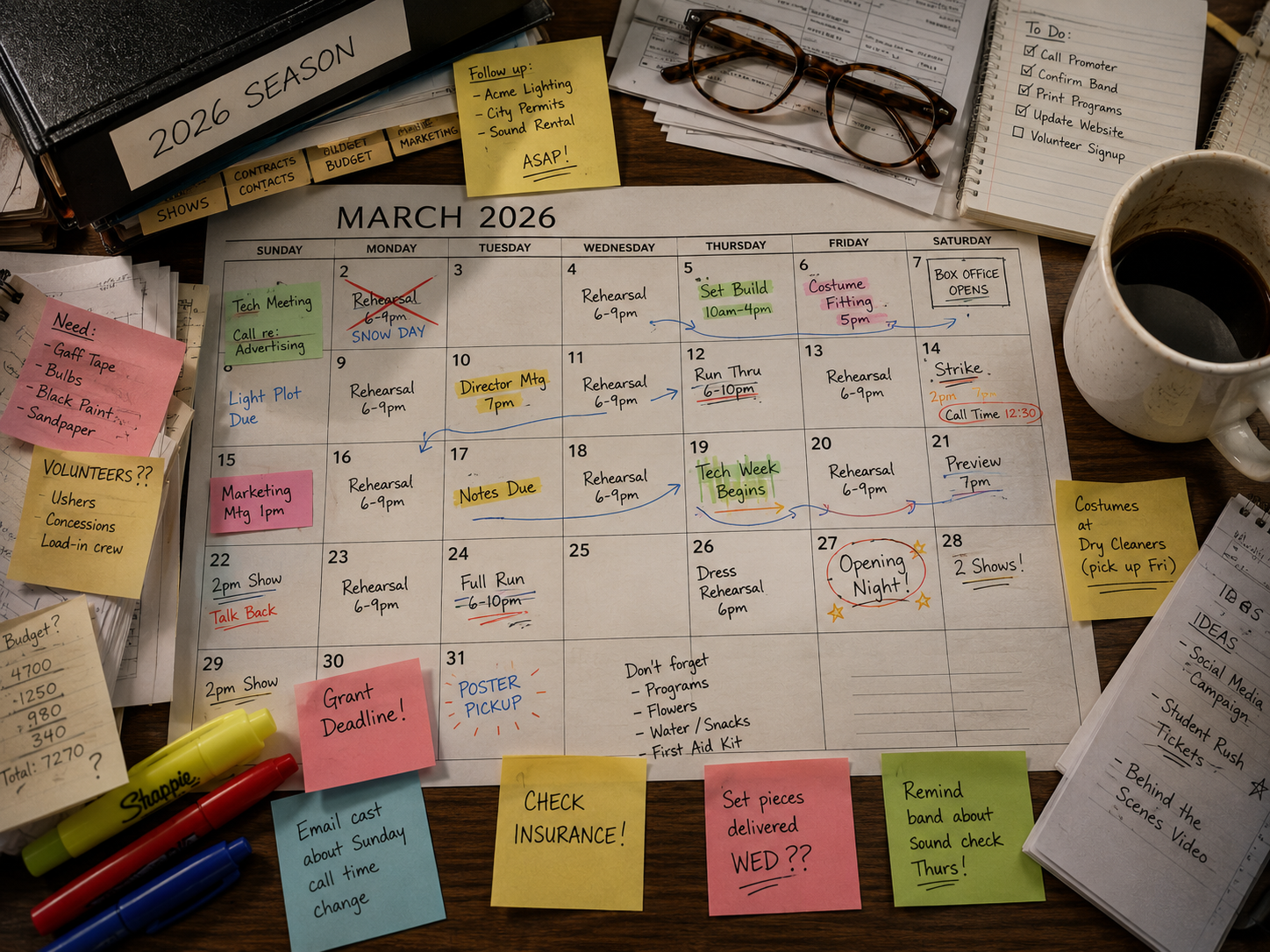
Why Manual Season Scheduling Breaks Down
Most theatres don’t plan just one event at a time. A single season might include:
- Multiple productions, each with its own rehearsal and tech schedule
- Load-in and strike days that need buffer time on either side
- Outside rentals or community bookings squeezed in between productions
- Recurring commitments like board meetings, volunteer trainings, or donor events
When all of this lives in separate spreadsheets, sticky notes, or someone’s memory, conflicts don’t show up until it’s too late — a rental request gets approved for a night your cast needs for tech, or two events get booked into the same space without anyone noticing until the day of.
What an Automated Event Calendar Actually Solves
1. One Central View of the Entire Season
Instead of checking multiple lists to confirm a date is free, an automated calendar gives you a single, real-time view of everything booked across your entire season — every production, rehearsal, rental, and event, all in one place. If a date’s open, you’ll know instantly. If it’s not, you’ll know exactly what’s already scheduled there.
2. Recurring Events Without the Re-Entry
Rehearsals that repeat several nights a week, or a rental that books the same weekend every month, don’t need to be entered one by one. Setting up a recurring booking once — and letting the system apply it automatically — saves hours of manual data entry and removes the risk of a missed or mistyped date.
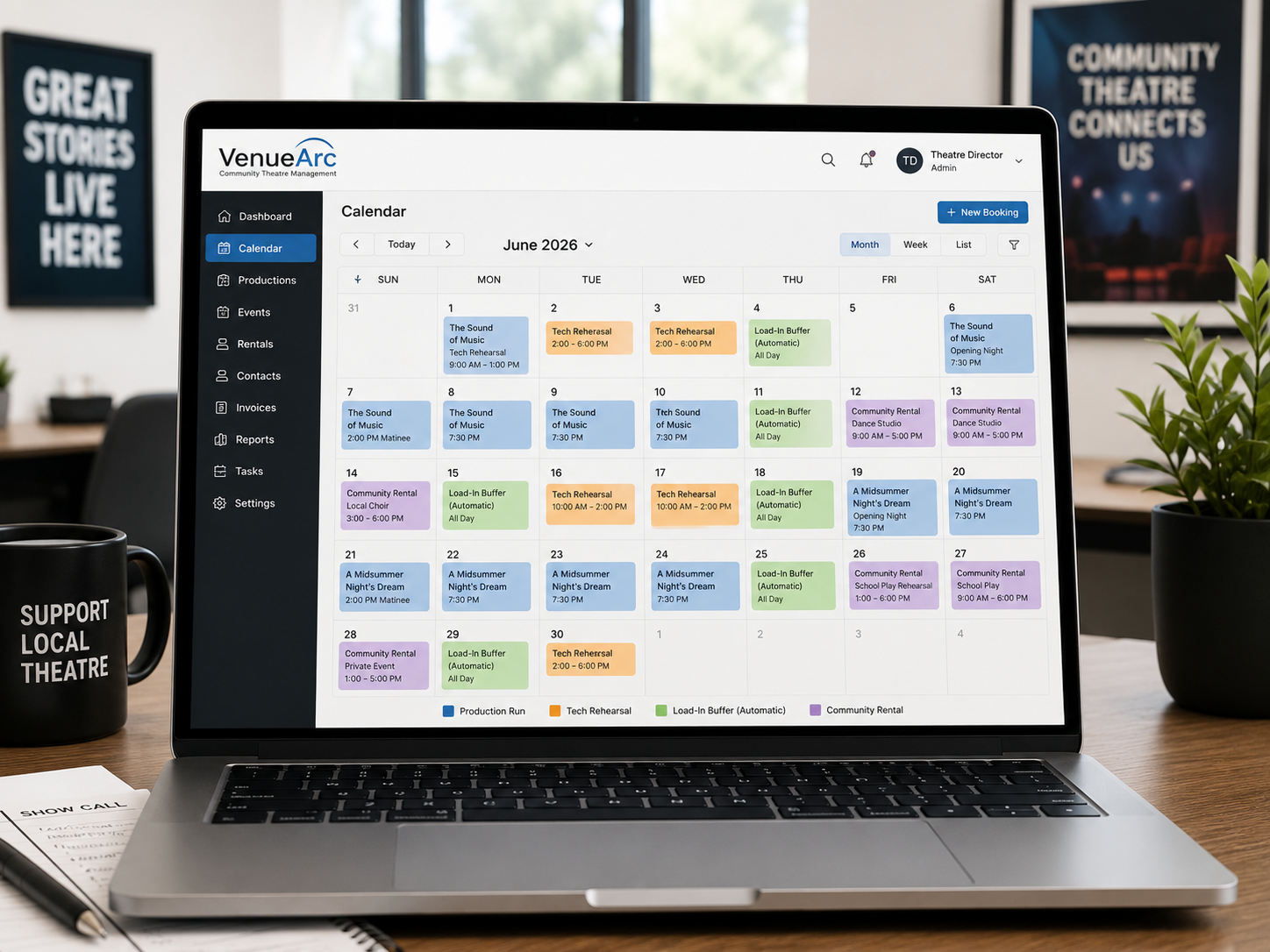
3. Built-In Buffer Time for Load-In and Strike
Automated scheduling makes it easy to build in the buffer time productions actually need — blocking off load-in and strike days automatically alongside a production’s run, rather than relying on someone remembering to manually reserve that time separately.
If you want to go deeper on holds and what happens operationally after a date is tentatively reserved, read Performance Holds, Contracts & Theatre Event Settlement Explained.
4. Fewer Double-Bookings, Fewer Awkward Phone Calls
The most common season-planning headache is realizing too late that a rental was approved on top of an internal rehearsal, or two community groups were promised the same evening. A shared, automated calendar catches these conflicts at the moment of booking — not after both parties have already made plans.
5. Easy Visibility for Everyone Who Needs It
Directors, volunteers, front-of-house staff, and rental clients often need different views into the same season calendar. An automated system lets everyone see what’s relevant to them, without you having to manually update and re-send a spreadsheet every time something changes.
From Season Planning to Season Execution
A well-planned season calendar is only half the equation — the other half is making sure bookings, contracts, and rentals stay just as organized once the season is underway. That’s where venue booking software built for community theatres comes in, giving you the same real-time visibility for external bookings and rentals that you rely on for your own production schedule.
As your season grows, many teams also pair scheduling with contact tracking so repeat promoters and renter relationships stay organized. If that is a priority, see Event Management CRM: One System for Every Member, Renter, and Client.
Venue workflow from booking requests through contracts, approvals, and execution.
The Takeaway
A theatre season is inherently complex — but scheduling it doesn’t have to be. Moving from manual tracking to an automated event calendar means fewer conflicts, less time spent cross-checking spreadsheets, and more confidence that your season will run the way you planned it.
Ready to see what automated scheduling looks like for your theatre? Explore VenueArc’s venue booking software for community theatres.
If you are comparing platforms, use Venue Booking Software: The Complete Buyer’s Guide as your evaluation checklist.
For related reading focused on attendance, local visibility, and repeat bookings, see How to Market Your Community Theatre: 8 Tips to Attract Bigger Audiences and More Bookings.
Frequently asked questions
- Why do community theatres struggle with season scheduling?
A single season includes multiple productions, rehearsal blocks, load-in and strike days, outside rentals, and recurring commitments such as board meetings. When these are tracked separately across spreadsheets or shared calendars, conflicts often are not caught until it is too late.
The underlying difficulty is that a season is planned as a whole but booked piecemeal. Production dates are set months ahead, rehearsal schedules firm up later, rentals arrive continuously, and each is entered by a different person with a different view of what is already committed.
Volunteer turnover compounds it. The reasoning behind a blocked week — that the set is standing, or a renter has a provisional hold — usually lives with the person who entered it, and when they step back the calendar becomes a set of dates nobody can fully explain.
- What is an automated event calendar?
An automated event calendar is a scheduling system that gives a real-time, centralized view of every booking across a season, supports recurring events without manual re-entry, and flags conflicts automatically at the time of booking.
The word “automated” is doing specific work here. The difference from a shared calendar is not that it looks different but that it enforces rules: it knows a space is a limited resource and refuses to pretend otherwise.
Catching conflicts at the point of entry rather than afterwards is what changes the experience. A clash caught while someone is booking is a thirty-second adjustment. The same clash discovered a week out means telling a cast, a renter, or a board that something has to move — and in a volunteer organisation, those conversations cost far more than the scheduling error itself.
- How do you schedule buffer time for load-in and strike days?
Automated scheduling systems can automatically block buffer time alongside a production's run dates, ensuring load-in and strike days are reserved without relying on someone remembering to add them separately.
These are the bookings most often forgotten, because they are not events in the way a performance is. Nobody attends a strike, so it feels like something happening in an empty building — and an empty building looks bookable to anyone glancing at the calendar.
The consequence is predictable and expensive. A rental gets confirmed for the morning after closing night, when the set is still standing and the space is unusable. Attaching load-in and strike to the production rather than treating them as separate entries means the space is protected automatically, and it moves with the run if dates change.
- Can rental bookings and internal rehearsals be managed in the same calendar?
Yes, and they should be. A shared, automated calendar lets theatres manage internal production schedules and external rental bookings in one system, reducing the risk of double-booking a space between a rehearsal and a rental.
Separating them is the single most common cause of conflict in community theatres, and it happens for an understandable reason: rentals are usually handled by whoever manages the business side, while rehearsals are set by production teams. Each is reasonable in isolation, and neither sees the other.
Keeping both in one calendar also improves the decisions, not just the accuracy. Rentals fund the season, so knowing which dates are genuinely available before turning an enquiry away — rather than declining defensively because the rehearsal schedule is unclear — has a direct effect on income.
Want technology done right?
Get a free assessment from an Inc. 5000 Microsoft Solutions Partner.
Get Free Assessment ->